Remove Filter From Photo — AI Filter Remover
Remove Instagram, TikTok or Snapchat filters from your photo automatically and restore the real picture.


Your result image will appear here
Upload a filtered photo on the left, and click "Remove Filter" to remove filter from photo.
Remove Filter From Photo
AI filter remover from photo — erase Instagram, TikTok or Snapchat filters and restore the real picture.
This AI filter remover is a powerful tool that uses GPT Image 2 to seamlessly remove filter from photo. This online filter remover from photo works in any browser — no software install needed. Simply upload your picture, and our smart technology will automatically detect the filter, beauty effect or colour tint and re-render the photo as a real, unfiltered shot: natural skin texture, true-to-life colour, believable light. Whether you need to remove filter from photo for a dating profile, a work avatar, or an old photo buried under a vintage preset — this is the fastest way to remove filter from photo and get the real picture back. People use this filter remover every day to remove filter from photo that was applied in Instagram, TikTok, Snapchat or VSCO, and to remove filter from photo that made their skin look waxy or their colours look fake. Whatever the reason, if you want to remove filter from photo without losing quality, this AI tool is built for exactly that. No complex editing skills needed!
Remove Filter From Photo Use-cases
This AI filter remover fits any scenario — drag the slider to see the filter disappear.
Instagram Beauty Filter
Waxy smoothed skin, whitened cast, enlarged eyes — re-rendered as a real phone selfie with natural skin tone and texture. The most common reason people remove filter from photo, and the case our AI handles best.
Vintage Sepia Grade
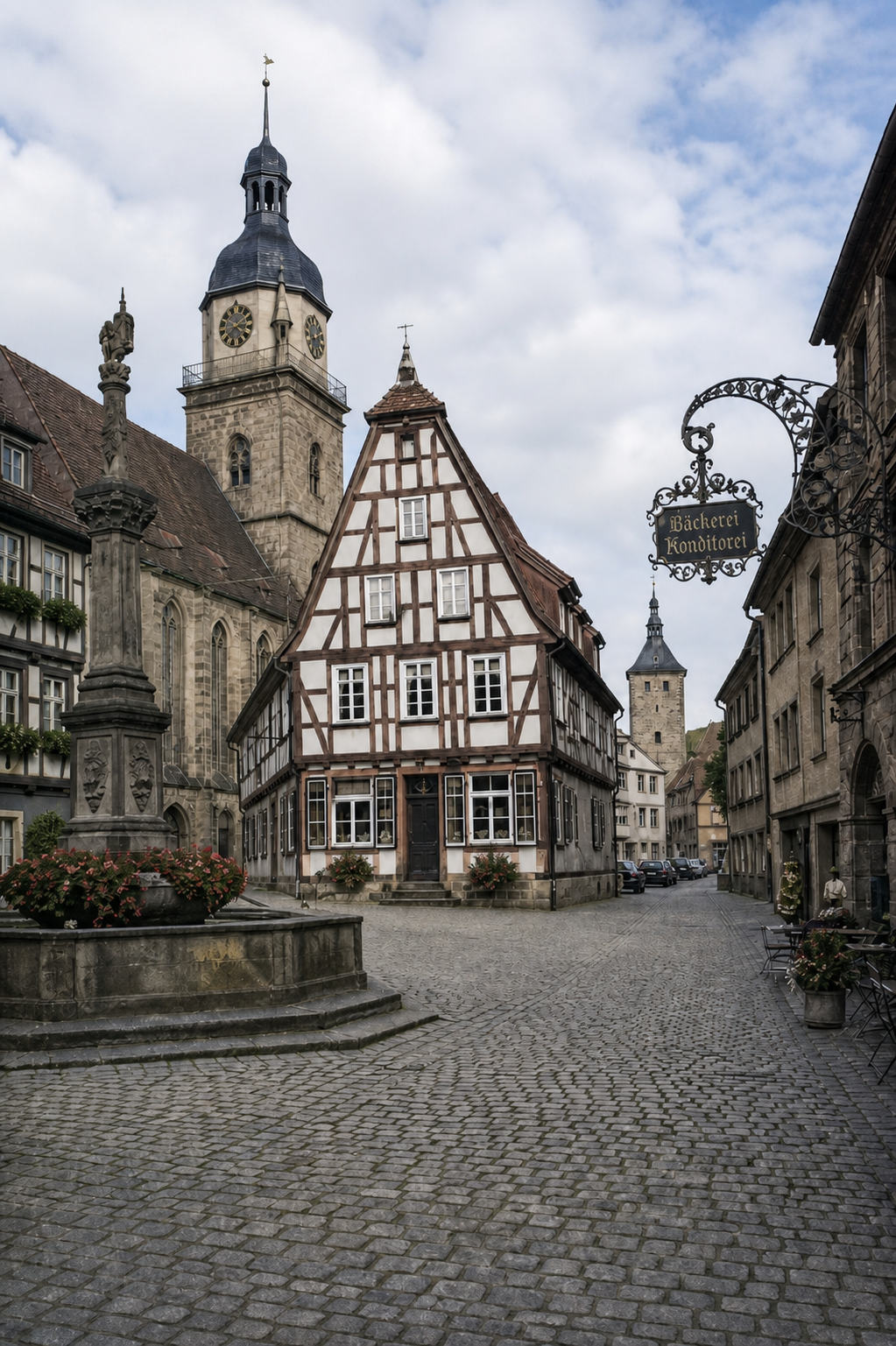
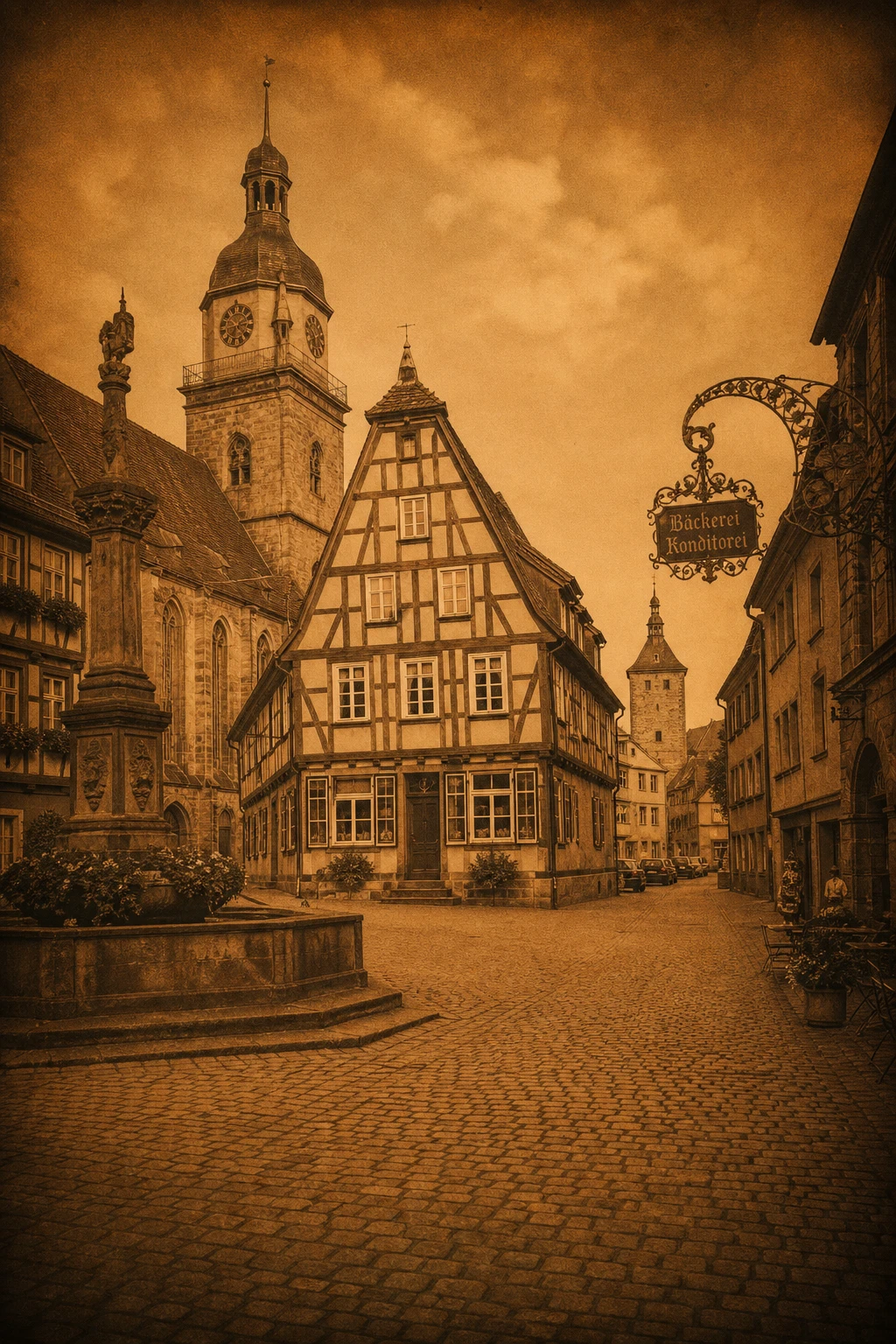
A travel shot buried under a heavy retro preset — sepia cast, faded blacks, vignette — re-rendered at the colours the camera saw: blue sky, real stone, clean daylight.
Snapchat Dog Ears


AR overlay removal at its cleanest: dog ears, nose graphic and sparkle stickers come off, and the hairline they covered is painted back to match the light.
Over-Saturation

Boosted saturation makes everything pop — and everything look fake. Our AI restores over-exposed, over-saturated colours to a natural, believable look.
Why Use Our AI Filter Remover
The best choice for you to remove filter from photo
AI Smart Detection
The advanced filter remover AI model understands exactly which parts of your picture are the filter — beauty smoothing, AR overlays, virtual makeup or colour tints — and re-renders only those parts the way a real camera would have recorded them. When you remove filter from photo with this tool, only the filter changes; you stay you.
Lossless Output
This filter remover from photo keeps the original resolution and detail. The result is a clean, high-quality picture that reads like an ordinary phone-camera capture — not a filtered, plastic-looking edit. Remove filter from photo once and download a version you can actually use anywhere.
Effortless One-Click Removal
No complex tools or manual selection needed with this powerful filter remover. Simply upload your photo and remove filter from photo with a single click for professional results. No Photoshop, no colour-grading skills — the AI does all the work to remove filter from photo for you.
How To Use Remove Filter From Photo
Simple steps to use our Remove Filter From Photo

Upload
Drag or choose a filtered photo you want to fix. JPG, PNG and WEBP up to 20MB are supported. Any photo where the filter is baked in works.
Sign In
Sign in with your account to use the AI filter remover — no subscription needed for a single photo.
Process
Click Remove Filter and the AI filter remover automatically analyses your photo, strips the filter and restores the original look in 30-60 seconds.
Download
Save your high-quality, filter-free photo with one click — ready for your profile, portfolio or anywhere the real you matters.

Ready to Try the Filter Remover Tool?
Just upload your filtered photo and click Remove Filter — let AI restore the real picture.
Try Filter RemoverRemove Filter From Photo — The Honest Way
Most filter-removal pages over-promise. Here's exactly what our AI filter remover does — and what it can't.
It's not a magic 'unfilter' button
A filter that merely sat on top of the photo — a flower crown, a colour tint — can be removed close to perfectly. But where a beauty filter smoothed away skin texture, the realistic detail in the result is generated by AI, not recovered from a hidden original. That's the honest truth about how we remove filter from photo.
Same person, same pose
The person's face, expression, pose and framing are carried through unchanged. When you remove filter from photo, the filter comes off — you stay you.
Guard against over-correction
Asked to undo smoothing, an image model will happily invent blemishes that were never on your face. Our instruction explicitly forbids that, so the result looks like a real photo of you — not a harsh caricature — every time you remove filter from photo.
Works in any browser
No app install, no upload to your camera roll — the AI filter remover runs entirely in your browser on desktop, phone or tablet. Open the page, sign in, remove filter from photo, done.
Common Filters We Can Remove
Our AI filter remover handles every major filter family
Instagram Filter
Remove classic Instagram presets like Vivid, Clarendon and Juno, restoring the photo's true colours. This is the most common reason people search for a way to remove filter from photo.
TikTok & Snapchat Face Filters
Remove beauty smoothing, eye-enlarging and face-slimming effects, plus AR overlays like dog ears and flower crowns — all with a single remove filter from photo run.
Over-Saturation
Restore over-exposed, over-saturated colours to a natural, believable look — the fix for any photo where the colour is too hot to remove filter from photo cleanly.
Black & White Back to Colour
Some filters drain photos to monochrome — our AI can restore them back to colour, so you don't lose the original moment when you remove filter from photo.
Remove Filter From Photo FAQ
Frequently asked questions about removing filters from photos
Can I remove filter from photo without losing quality?
Yes. When you remove filter from photo with our AI filter remover, the original resolution and detail are preserved, so the result stays crisp and high-quality. Unlike simple colour tweaks, this tool re-renders the photo properly so you can remove filter from photo and still use it for print, profiles or portfolios.
Do I need to pay to remove filter from photo?
The tool runs on a premium AI model, so each remove filter from photo job uses credits from your account balance. New users get credits on signup to try it, and there's no watermark and no hidden fees when you remove filter from photo.
Why won't the filter come off my photo?
If a filter's information is burned irreversibly into the pixels, the AI restores the photo as close to the original as possible — this is the honest limit of any tool that claims to remove filter from photo. For the best result, upload the highest-resolution version of the photo you have before you remove filter from photo.
Can I remove filter from photo on mobile?
Yes. This filter remover runs entirely in your browser — it works on phones and tablets as well as desktop, so you can remove filter from photo anywhere, anytime. Just open the page, sign in, and let the AI do the work.